

System Landscape

Chert_Endpoint Named Credential. Chert dispatches sends
to its delivery infrastructure and posts replies back into the Org via
the ChertInboundRest REST resource.
There are no hardcoded endpoints in Apex. Every outbound HTTP call
flows through Chert_Endpoint.
Components
Apex
Lightning Web Components
Custom Objects and Metadata
Platform Wiring
Outbound Send Sequence

- A Flow, trigger, button, or LWC invokes
ChertSendIMessage. - The action loads
Chert_Tenant.DefaultthroughChertTenantConfig. - The action serializes the JSON body, computes
HMAC-SHA256(<ts>.<body>, secret), and attaches thex-chert-signatureheader. - The action issues a
POSTthroughChert_Endpointto/send. - Chert verifies signature and timestamp, resolves or creates the lead, and dispatches the send through its delivery infrastructure.
- Chert returns
{ ok, lead_id, message_id, duplicate }. - The action inserts a
Chert_Message__crow withdirection = 'outbound'and the returnedmessage_id. - The action returns
{ messageId, duplicate }to the Flow.
Inbound Reply Sequence

- A recipient replies. Chert receives the inbound message from its delivery infrastructure.
- Chert POSTs to
<your-org>.my.salesforce.com/services/apexrest/chert/v1/inboundwith the bearer ingest token in theAuthorizationheader. ChertInboundRestvalidates the bearer againstChert_Tenant__mdt.Ingest_Token__c.- The resource resolves the parent record by the
salesforce_record_idfrom the original send, falling back to a phone-number match if the original record is unavailable. - The resource inserts a
Chert_Message__cwithdirection = 'inbound'and inserts a standardTaskagainst the same parent record so the reply surfaces on the Salesforce Activity Timeline alongside emails and calls. - Open
chertConversationcomponents subscribed to the Contact’s record updates pick up the new row on the next refresh.
Chert_Message__c row with
direction = 'outbound' and a corresponding Task. Standard
Salesforce reports built on Tasks pick up iMessage activity without
custom report types.
Phone Enrichment
Enrichment fillsContact.MobilePhone (and the Chert-prefixed metadata
fields) for records that arrive without a number. There are three
trigger points and one resolver pipeline.
Trigger points
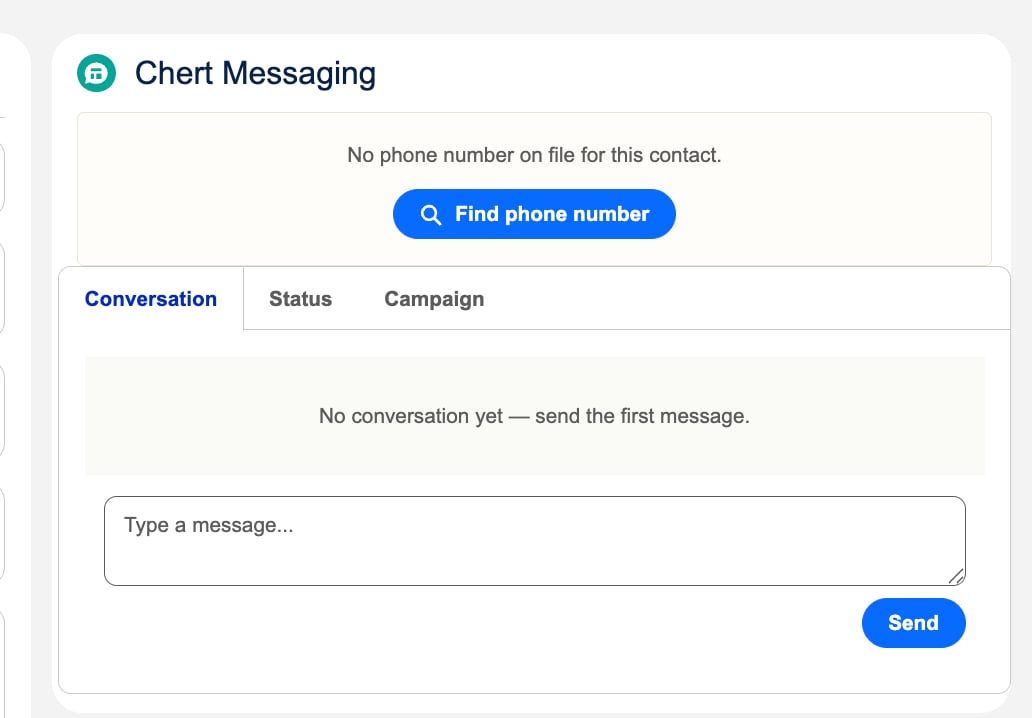
The chertConversation component shows a Find phone number action when the record has no number on file.
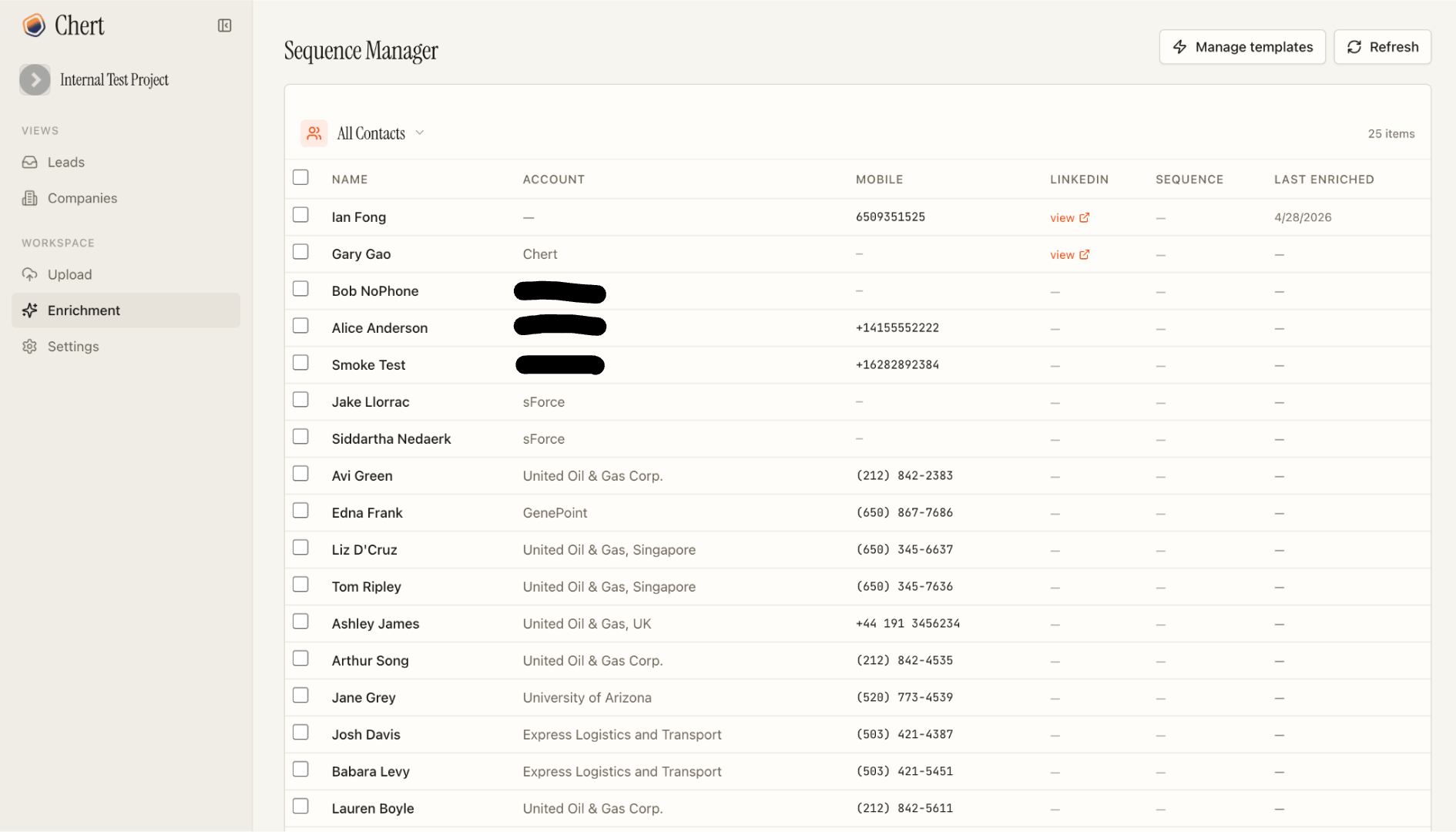
The Chert console's Enrichment dashboard. Operators select rows and run enrichment in bulk; results write back to Salesforce.
Resolver waterfall
The Chert side runs a three-step waterfall:1
Cache check
Recent enrichment results for the same identity (LinkedIn URL, email, or
(name, company) tuple) are returned from cache without re-querying providers.2
Multi-source resolution
Multiple phone-data providers are queried in parallel. Results are crosschecked against each other; a number that appears across two or more sources gets a high confidence score, a single-source result gets a lower one.
3
Write back to Salesforce
Chert POSTs the result to
ChertEnrichResultRest (bearer-authenticated). The resource updates Contact.MobilePhone and stamps Chert_Phone_Source__c, Chert_Phone_Confidence__c, and Chert_Last_Enriched_At__c. If no provider returns a match, the row is stamped with Chert_Enrichment_Status__c = 'no_match' so the dashboard knows not to retry.Queueable jobs
on the Chert side and return immediately; the chertBulkEnrich
component polls for completion via ChertEnrichResultRest callbacks.
Stamped metadata
The Permission Set grants Read on all four fields and Edit on
MobilePhone so the bulk-enrich component can write back through
standard DML.
Sequencing
ThechertSequenceLauncher Quick Action enrolls Contacts into a Chert
sequence. Sequences are configured in the Chert console; the package
exposes only the enrollment surface.
A sequence contains:
- An ordered set of steps (initial message, follow-ups)
- A delay between each step
- Message copy per step, with template variables for
{name},{company},{calendar}, and any{custom_field}you bind from a CSV column or Salesforce field - A send window and timezone
- A per-line spacing rule between consecutive sends
- A phone-line pool that scopes which lines this sequence may use
Chert_Message__c and the Activity Timeline; from there a rep handles
the conversation manually.
Entity Relationship

Chert_Message__c carries a Lookup to Contact, a Lookup to
Lead, and a Chert_Message_Id__c external ID for upserts during
ingestion. Both Contact and Lead lookups are nullable; exactly one is
populated per record.
Chert_Tenant__mdt is a single-record metadata type. The Default
record is the only supported instance.
Synchronous versus Asynchronous Boundaries
Idempotency and Dedup
Outbound sends carry a deterministicidempotency_key. Within Chert’s
6-hour rolling window, a duplicate key returns
{ duplicate: true, ok: true } without re-delivering. The Flow should
treat duplicate: true as success.
Inbound replies are deduped on Chert’s message_id, persisted as the
Chert_Message_Id__c external ID on Chert_Message__c. Re-delivery
of the same reply upserts in place.
Error Handling
Chert-side API responses
The/api/salesforce/* endpoints on Chert’s side (which the Apex classes
above call) keep the { ok: false, ... } shape — the Apex client branches
on ok — but every error path now also carries the canonical numeric
code, a generic human message, a retryable boolean, and a trace_id
(also in the X-Trace-ID header). The numeric code follows the shared
Messaging API error scheme; provider names, env var names,
and raw database errors are no longer leaked in message — the full
detail is logged server-side under trace_id. Auth and signature failures
return distinct codes (2012 missing credentials, 2004 invalid
signature/token, 2013 timestamp skew) rather than one opaque
“unauthorized”.
The widget context endpoint (/api/salesforce/v1/widget/context) was made
consistent: a record with no lead yet always returns
200 { ok: true, lead: null } — it no longer sometimes returns 404.
Extension Points
See Also
- SECURITY for the trust boundary and HMAC format.
- LIMITS AND CONSIDERATIONS for the governor-limit budget per send.
- CONFIGURATION for the per-component setup detail.